The beverage industry is one of the most visually competitive markets in the world. A consumer standing in front of a store shelf makes a purchasing decision in just a few seconds — and that decision is almost entirely driven by packaging. A professional juice bottle mockup gives your brand the ability to present its product visually, convincingly, and beautifully — long before a single bottle rolls off the production line. Whether you are launching a new cold-pressed juice brand, refreshing an existing label, or pitching to retail buyers, a high-quality mockup is your most powerful first impression.
At a Glance:
Best For
Juice, smoothie, beverage brands
Software:
Photoshop, Canva Pro
Resolution:
300 DPI for print-ready output
Use Cases:
Retail, e-commerce, investor decks
What Is a Juice Bottle Mockup?
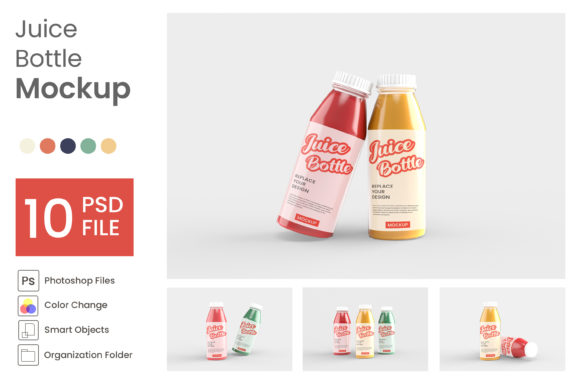
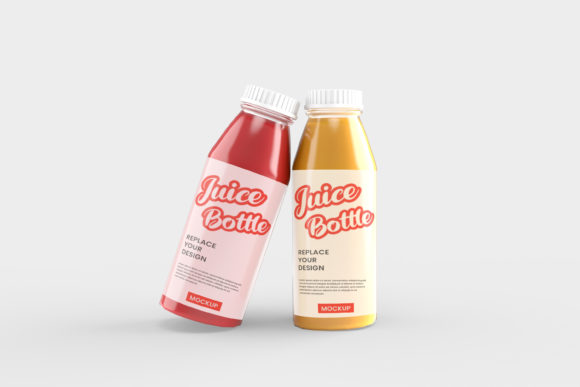
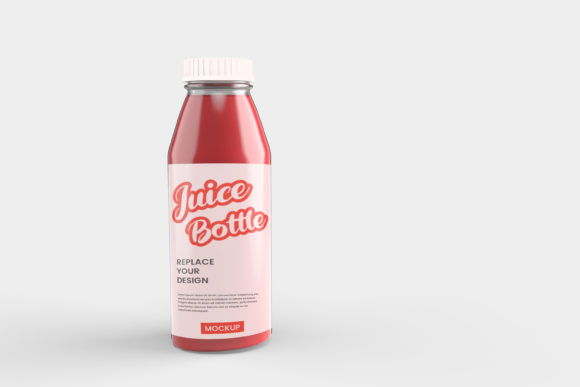
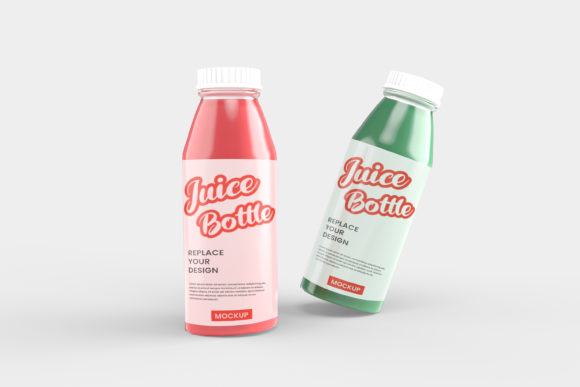
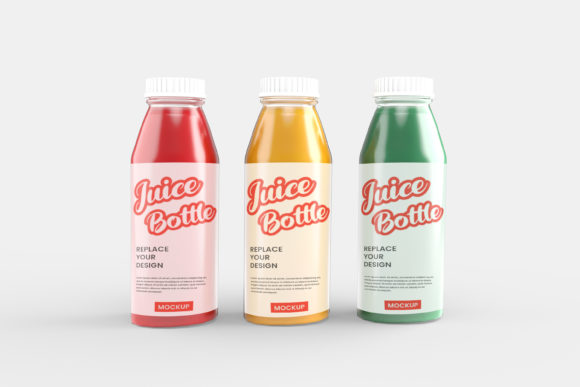
A juice bottle mockup is a pre-built, photorealistic digital template that replicates the appearance of a real glass or plastic juice bottle. Using smart object layers — most commonly in Adobe Photoshop — designers can place their label artwork directly onto the bottle template. The mockup then automatically applies accurate lighting, shadows, reflections, and surface textures, creating a lifelike product image that is ready for use across websites, social media platforms, printed catalogs, and investor presentations.
Why Mockups Are Essential for Beverage Brands
Producing physical prototypes for every packaging concept is expensive and time-consuming. A mockup eliminates the need for physical samples entirely. With just a label design file and a quality template, brands can visualize dozens of packaging variations within hours — testing colors, typography, and label layouts with zero production cost. This makes mockups an indispensable tool for both emerging brands and large-scale beverage manufacturers.
Key Features of a High-Quality Juice Bottle Mockup
Smart Object Layers
The foundation of any professional mockup is its smart object layer system in Adobe Photoshop. These layers allow designers to place artwork with a single double-click, and the template automatically wraps the label around the bottle with correct perspective, curvature, and lighting — saving hours of manual editing and ensuring a consistently polished result every time.
Realistic Glass and Plastic Rendering
Premium juice bottle mockups accurately simulate a variety of materials and finishes — clear glass, frosted glass, transparent PET plastic, matte labels, glossy surfaces, and embossed textures. This level of realism allows brands to make confident packaging decisions and present multiple design options to clients or stakeholders without producing a single physical sample.
Flexible Scene and Background Options
The best mockups offer fully customizable scenes — from bright, clean studio backgrounds to lifestyle settings featuring fresh fruits, wooden surfaces, or outdoor natural environments. These scene options allow designers to craft a complete visual narrative around the product, making it easier for buyers and consumers to connect with the brand story.
Industries and Brands That Benefit Most
Juice bottle mockups are widely used across the food and beverage industry. Cold-pressed juice companies rely on them to showcase vibrant, health-focused label designs. Smoothie and wellness drink brands use them to communicate premium ingredients and natural quality. Craft lemonade and flavored water startups depend on mockups to compete visually with established names. Beyond beverages, organic food brands, artisan syrups, and specialty sauce producers also benefit from this format when their products share a similar bottle shape and label structure.
How to Use a Juice Bottle Mockup — Step by Step
Step 1 — Prepare Your Label Artwork
Before opening the mockup file, ensure your label design is finalized as a high-resolution PNG or vector PDF at a minimum of 300 DPI. Verify that your label dimensions match the template specifications to prevent misalignment or distortion during the application process.
Step 2 — Open the Mockup in Photoshop
Open the PSD file in Adobe Photoshop and navigate to the Layers panel. Locate the clearly labeled smart object layer — typically named “Place Your Label Here” or similar — and double-click it to open the embedded editing canvas.
Step 3 — Apply Your Design and Export
Paste your label artwork into the smart object canvas, adjust the positioning and scale as needed, then save and close. Photoshop will immediately render your label onto the bottle with realistic lighting and texture. Customize the background and scene elements, then export the final image as a high-resolution JPEG or PNG ready for immediate use.
Where to Find the Best Juice Bottle Mockups
Several trusted platforms offer both free and premium juice bottle mockups. Envato Elements and Creative Market are the leading sources for professional, fully-layered PSD templates with commercial licensing. Freepik and Mockup World provide free options suitable for personal projects and early-stage concept testing. For brands requiring a highly specific bottle shape or unique structural design, commissioning a custom 3D mockup through a specialist designer in Blender or Cinema 4D offers unmatched accuracy and brand exclusivity.
Conclusion
A juice bottle mockup is one of the most cost-effective investments a beverage brand can make in its visual identity. It bridges the gap between a label design on screen and a finished product on a retail shelf — giving brands, designers, and stakeholders a clear, compelling preview of what the final packaging will look and feel like. Whether you are launching your first product or refreshing an established line, investing in a professional juice bottle mockup will consistently elevate your presentations, strengthen your brand image, and accelerate your path from concept to market.
Frequently Asked Questions (FAQs)
Q1
What software is needed to use a juice bottle mockup?
Most professional juice bottle mockups are built for Adobe Photoshop, which supports smart object layers. Some templates are also available for Figma, Canva Pro, and Adobe Illustrator depending on the file format.
Q2
Can juice bottle mockups be used for commercial projects?
Yes, but the license terms must always be verified before use. Premium platforms such as Envato Elements and Creative Market offer commercial licenses, while free mockups are often restricted to personal or non-commercial use only.
Q3
How realistic do juice bottle mockups appear compared to real photography?
High-quality mockups with accurate lighting, glass reflections, and material rendering can look nearly identical to professional product photography, particularly when used in digital formats such as e-commerce listings and social media content.
Q4
Are free juice bottle mockups suitable for professional use?
Free mockups work well for initial concept exploration and internal reviews. For client-facing presentations and commercial campaigns, premium templates provide significantly higher quality, greater flexibility, and more diverse scene options.
Q5
What resolution should my label artwork be for best results?
Your label artwork should be prepared at a minimum of 300 DPI as a PNG or vector PDF file. This ensures the sharpest possible result when placed inside the mockup’s smart object layer for both digital and print use.