A few years ago I was helping a friend launch her skincare brand. She had spent almost eight months developing her facial mist formula. She tested it on herself, on family members, on friends. She got the pH right. She sourced clean ingredients. She designed a label she was genuinely proud of.
And then when it came time to actually show the product to the world — she took a photo on her bathroom counter with her phone. Natural light from the window. Bottle slightly tilted. Label not quite centered in the frame.The product was incredible. The photo made it look like something from a discount bin.
That experience stuck with me. Because the gap between how good her product actually was and how it appeared in that photo was enormous. And the worst part? That photo was the first thing every potential customer saw. That photo was making the decision for them before they ever read a single word about what was inside the bottle.I’m telling you this because I want you to understand why a mockup like this one actually matters. It is not just about aesthetics. It is about giving your product a fair chance.
Why Spray Bottles Are Surprisingly Hard to Photograph Well
Most people assume product photography is straightforward. Point the camera, press the button, done. But anyone who has actually tried to photograph a cosmetic spray bottle knows it is anything but simple.
Then there is the pump head. That little nozzle assembly at the top creates all kinds of awkward shadows and visual interruptions that are hard to manage without experience. And the label itself — if it has any metallic printing, embossing, or foil elements — is almost impossible to capture accurately without specialist lighting.
A professional photographer can handle all of this. But a single product photography session can cost several hundred to several thousand dollars depending on where you are, how many setups you need, and how much post-production editing the images require afterward.
This PSD mockup was built to make all of that completely unnecessary. Every single one of those photographic challenges has already been solved inside these files. The lighting is already set up. The reflections are already calibrated. The shadows are already doing exactly what they should be doing. You walk in, drop your label design into the smart object layer, and walk out with a result that looks like it cost a fortune to produce.
A Proper Look at What Is Inside This Set
I want to be genuinely specific here rather than just listing vague features, because I think you deserve to know exactly what you are getting before you make a decision.
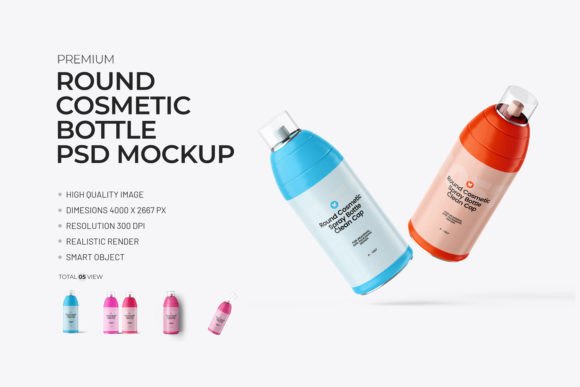
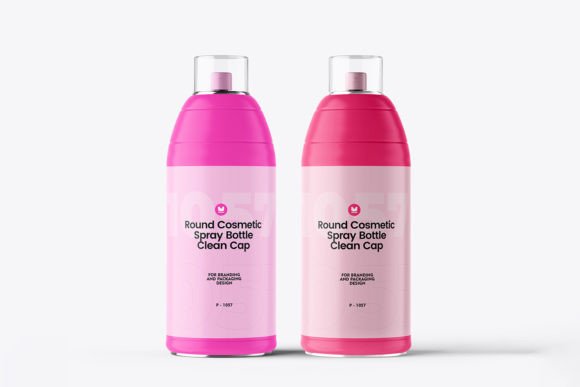
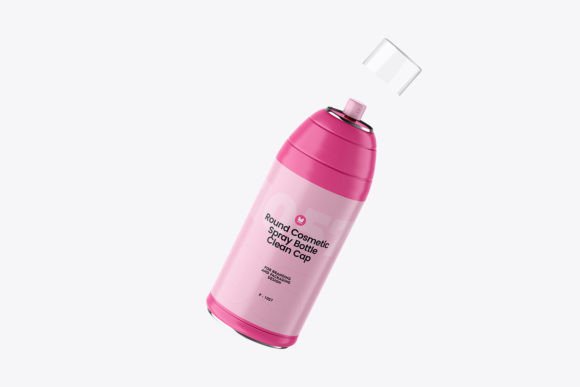
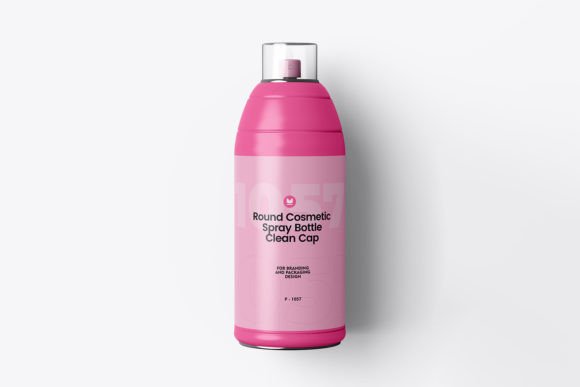
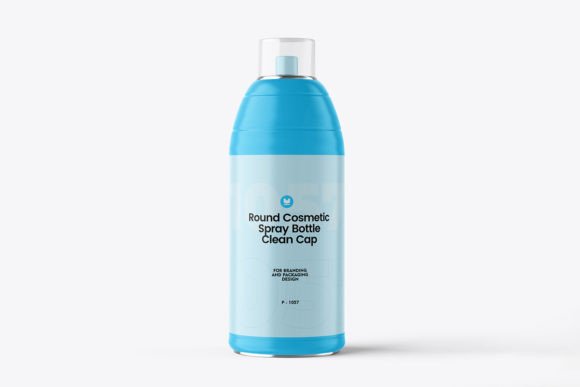
The centerpiece of this set is a cosmetic plastic spray bottle that has been modeled and rendered with serious attention to realism. The curvature of the bottle body. The weight and proportions of the pump mechanism. The way the cap sits. The subtle variations in the plastic surface that make it look like a real manufactured object rather than a digital approximation. All of it has been crafted to read as authentic.
The scene compositions are where things get really interesting. Some scenes are clean and studio-style — pure white backgrounds, soft diffused lighting, nothing competing with your label design for attention. These are your workhorses for product listing pages, e-commerce platforms, and anywhere else where clarity and professionalism are the priority.
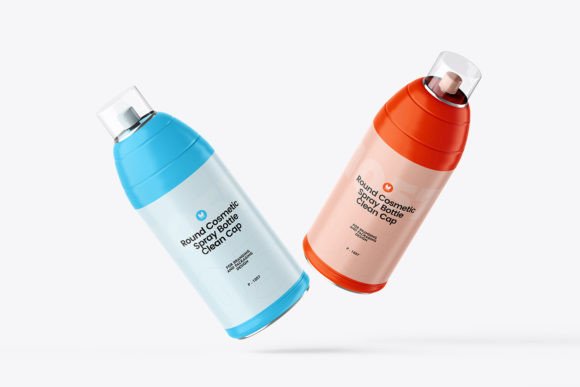
For angles you have comprehensive coverage. A clean front-facing view for pure label presentation. A three-quarter angle that shows the full dimensional presence of the bottle. A side profile view for label wrap and side panel design. A top-down overhead view for social media content, Instagram flat lays, and Pinterest-style compositions. Between all of these angles and scenes you have everything you could possibly need for a complete product launch across every platform and format.
The Editing Experience — Let Me Be Really Specific
I know that every single mockup on the internet claims to be easy to edit. So I want to explain in plain terms what the editing process for this set actually looks like, step by step, so there are no surprises.
You open the PSD file in Photoshop. Inside the layers panel you will see a clearly labeled smart object layer — usually marked something like “Place Your Design Here” or “Double Click to Edit.” You double-click that layer thumbnail. A new editing window opens. This is essentially a blank canvas at the exact dimensions and proportions of the label area on the bottle.
You paste your label artwork into that window. Resize it if needed to fill the space correctly. Save the window and close it. That is genuinely the whole process. Photoshop automatically applies your design to the bottle surface — wrapping it correctly around the curvature, applying the existing lighting and shadow information over your label, and blending it seamlessly into the scene.
The result looks like someone printed your label, applied it to a real bottle, and photographed it in a professional studio. Because the underlying rendering is so realistic, your label inherits all of that realism automatically..
The People Who Get the Most Out of This
I think it helps to talk about real people in real situations rather than abstract user categories. So let me do that.
There is the skincare entrepreneur who has been developing her product for the better part of a year. The formula is finally ready. The label design is approved. But her photographer friend who promised to do the shoot for free keeps rescheduling, and her planned launch date is three weeks away. She needs product images now — images good enough to run paid advertising with, good enough to pitch to a small retailer, good enough to make her brand look like it has been doing this for years. This mockup set solves that problem completely and immediately.
There is the packaging designer who works with beauty startups. She delivers label designs as flat files and her clients always struggle to visualize how the finished product will actually look. She has started including mockup presentations with every project delivery and her client feedback has transformed. People understand the vision immediately. Approvals happen faster. Revisions are fewer. The perceived value of her work has gone up without her changing a single thing about the quality of her actual design work.
Resolution, Quality, and Why These Details Actually Matter
Every file in this set is delivered at a minimum resolution of 3000 x 2000 pixels at 300 DPI. That combination means the images are suitable for literally every use case you will encounter — high-resolution website display, full-page printed catalog, digital advertising at any size, brand presentations, and media kits for press outreach.
The color profile is calibrated for both screen display and print reproduction, which means the colors you see on your monitor when you are editing will translate accurately whether the final image ends up on a phone screen, a laptop display, a printed brochure, or a trade show banner.
The photorealistic rendering quality is worth emphasizing one more time because it is genuinely the thing that separates a good mockup from a great one.And in a commercial context — especially in beauty where visual trust is so deeply tied to purchase decisions — that difference in perception translates directly into sales.
FAQs – Cosmetic Plastic Spray Bottle PSD Mockup
1. What is a Cosmetic Plastic Spray Bottle PSD Mockup?
A Cosmetic Plastic Spray Bottle PSD Mockup is a high-quality, editable design file used to showcase cosmetic product packaging like perfumes, sanitizers, or skincare sprays in a realistic way.
2. Is this PSD mockup fully editable?
Yes, the mockup is fully editable using Adobe Photoshop. You can easily change colors, labels, background, and design elements via smart objects.
3. Do I need advanced Photoshop skills to use this mockup?
No, basic knowledge of Photoshop is enough. The smart object layers make it easy to insert your design with just a few clicks.
4. What resolution is the mockup file?
The mockup usually comes in high resolution (300 DPI), making it suitable for both digital presentation and print purposes.
5. Can I use this mockup for commercial projects?
Yes, most PSD mockups allow commercial use, but it’s always recommended to check the license file provided with the download.
6. Is the background customizable?
Yes, you can easily change or remove the background to match your branding or presentation style.
7. What type of cosmetic products can this mockup be used for?
This mockup is perfect for perfumes, facial mists, sanitizers, hair sprays, and other liquid cosmetic products.
8. Does the mockup include multiple angles or views?
Some mockups include multiple perspectives or scenes, while others focus on a single realistic view. It depends on the specific file.
9. Are shadows and reflections included?
Yes, most high-quality mockups include realistic shadows and reflections, which can often be adjusted or turned off.
10. In which file format is the mockup provided?
The mockup is typically provided in PSD (Photoshop Document) format.