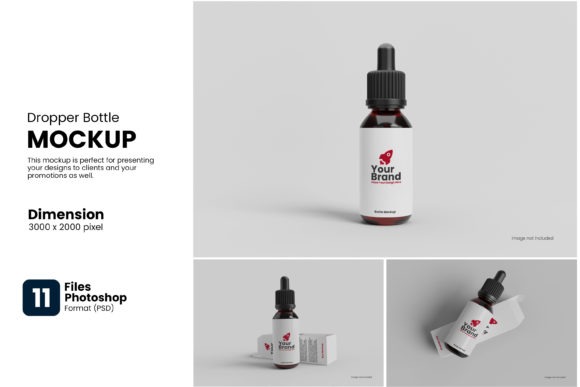
In today’s visually driven marketplace, packaging presentation is everything. Before a customer ever holds your product, they judge it by how it looks. A high-quality dropper bottle mockup gives your brand the power to present its packaging professionally, realistically, and affordably — without producing a single physical unit. Whether you are a freelance designer, a startup, or an established brand, mockups are the smartest shortcut to market-ready product visuals.
At a Glance
Best For:
Skincare, CBD, serums, essential oils
Software:
Photoshop, ,
Resolution:
300 DPI for print-ready output
Use Cases:
Branding, e-commerce, pitches
What Is a Dropper Bottle Mockup?
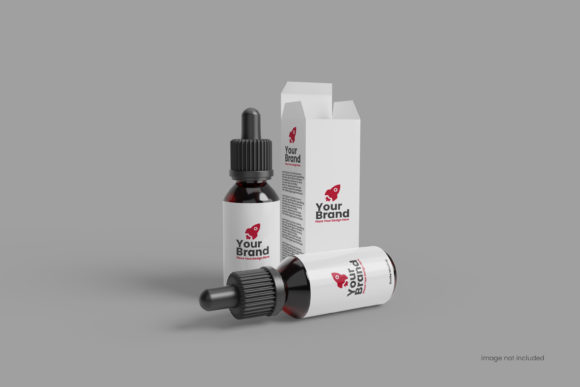
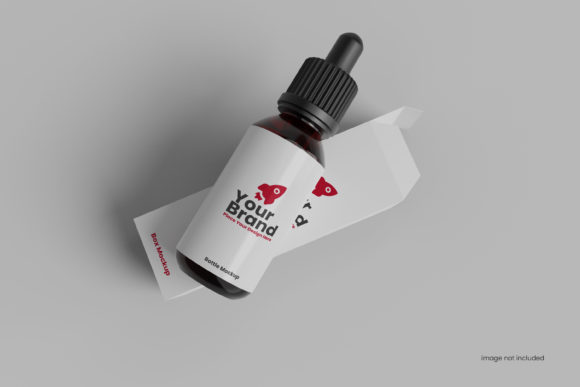
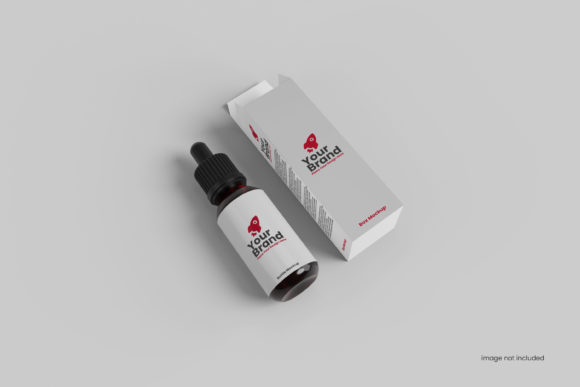
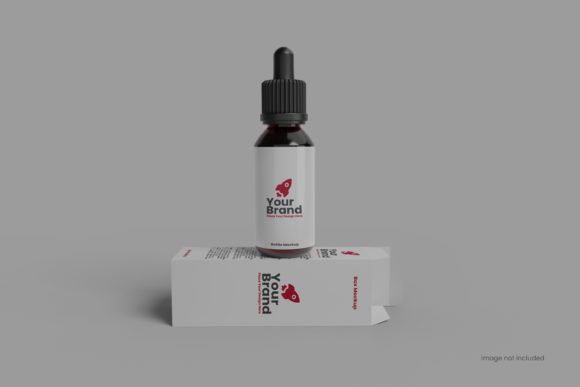
A dropper bottle mockup is a pre-built, photorealistic digital template that simulates a real glass or plastic dropper bottle. Designers place their label artwork onto the template using smart object layers, and the mockup renders the design with accurate lighting, shadows, reflections, and surface textures — producing a lifelike product image ready for immediate use across websites, social media, and marketing materials.
Mockups vs. Traditional Product Photography
Traditional photography requires physical samples, studio equipment, and a professional photographer — all costly and time-consuming. A mockup removes every barrier. With just your design file and the right template, you can generate multiple polished product visuals in minutes, making mockups the preferred choice for fast-moving brands and busy creative teams.
Key Features of a High-Quality Dropper Bottle Mockup
Smart Object Layers
The most critical feature of any professional mockup is editable smart object layers in Adobe Photoshop. These allow designers to apply artwork with a single double-click — the mockup automatically wraps, distorts, and shades the design to perfectly match the bottle’s curvature and lighting environment.
Realistic Material Rendering
Premium mockups simulate a wide range of surface finishes — frosted glass, amber glass, clear plastic, matte black, and glossy gold — giving brands the ability to preview multiple packaging options without needing physical samples. This is essential for making confident and informed design decisions early in the process.
Customizable Backgrounds and Scenes
Top-tier mockups include adjustable backgrounds, props, and lighting environments so you can present your bottle in a context that matches your brand identity — a clean white studio, a natural botanical setting, or a luxury dark-toned composition that conveys premium quality.
Industries That Use Dropper Bottle Mockups
The dropper bottle format serves a wide range of industries. The skincare and beauty sector uses it for serums, facial oils, and eye treatments. The wellness and CBD industry relies on it for tinctures and liquid supplements. Pharmaceutical and homeopathic brands use it for liquid remedies, while aromatherapy and essential oil companies depend on it as their core packaging format. In every case, a polished mockup signals professionalism and market readiness from day one.
How to Use a Dropper Bottle Mockup — Step by Step
Step 1 — Prepare Your Artwork
Finalize your label design as a high-resolution PNG or vector PDF at 300 DPI or above. Ensure the dimensions match the mockup’s label area to avoid misalignment or unwanted cropping during the application process.
Step 2 — Open the Mockup File
Open the PSD file in Adobe Photoshop. In the Layers panel, locate the smart object layer — typically labeled “Place Your Design Here” — and double-click to open the editable canvas where your artwork will be applied.
Step 3 — Apply, Save, and Export
Paste your artwork, adjust position and scale, then save. Photoshop renders your label onto the bottle instantly with correct lighting and texture. Adjust the scene background, export as a high-resolution JPEG or PNG, and your visual is ready to use.
Where to Find the Best Dropper Bottle Mockups
The top platforms for premium dropper bottle mockups include Envato Elements and Creative Market for fully-layered, commercial-grade templates. Freepik and Mockup World offer free options suitable for personal or early-stage projects. For brands with unique structural requirements, a custom 3D mockup built in Blender or Cinema 4D delivers the highest level of realism and brand specificity available.
Conclusion
A dropper bottle mockup is far more than a design shortcut — it is a strategic brand asset. It saves time, reduces production costs, and empowers brands to communicate their vision with confidence and clarity. Whether you are preparing for a product launch, building an investor deck, or exploring packaging concepts, a high-quality dropper bottle mockup delivers consistently professional results that build trust and drive conversions. In the modern design landscape, your mockup is often the first impression your product makes — make it unforgettable.
Frequently Asked Questions (FAQs)
Q1
What software do I need to use a dropper bottle mockup?
Most mockups are designed for Adobe Photoshop due to smart object support. Many are also available for Figma, Canva Pro, and Affinity Photo depending on the file format provided.
Q2
Can I use dropper bottle mockups for commercial projects?
Yes, but always verify the license terms before use. Premium platforms typically offer commercial licenses, while free mockups may be limited to personal or non-commercial projects only.
Q3
How realistic do dropper bottle mockups look?
High-end mockups with proper lighting, reflections, and material rendering can closely resemble real product photography, especially when used in digital platforms like e-commerce or social media.
Q4
Are free mockups good enough for professional use?
Free mockups can work well for early-stage concepts and internal reviews. However, premium templates offer significantly better quality, flexibility, and scene variety for client-facing or commercial work.
Q5
What file format should my label artwork be in?
Your artwork should be a 300 DPI PNG or vector PDF to ensure sharpness and print-readiness when placed inside the mockup’s smart object layer for best results.